

📱 Browsers with Automatic Translation (AI generated )
| Browser | @Platform | User Experience (Icon/Prompt Location) |
| Google Chrome | Desktop | Icon (often a square/stacked language symbol) appears on the right side of the address bar. |
| Google Chrome | Mobile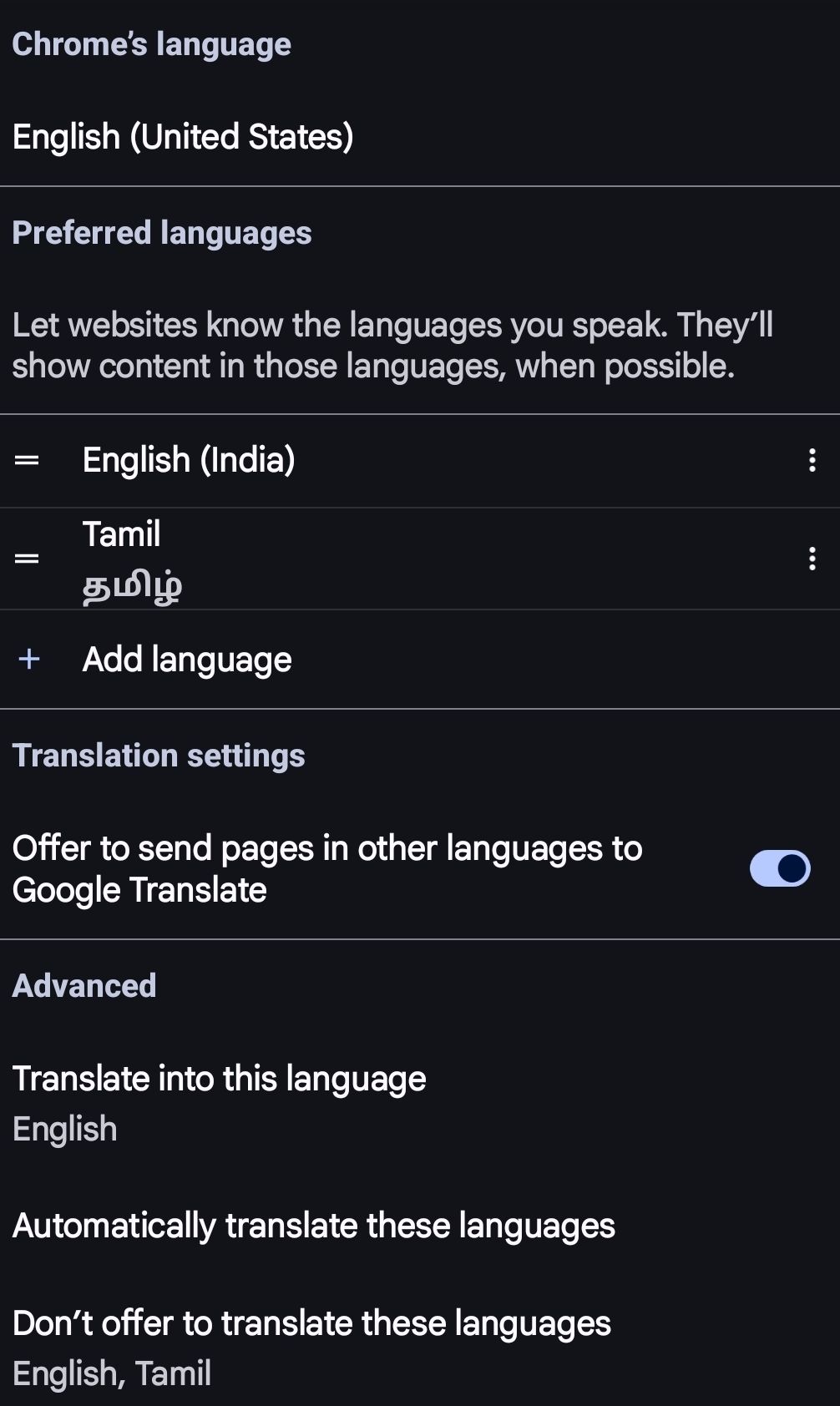 | A pop-up bar appears /accessible via the three-dot More menu, when ‘Not in Preferred language’ is detected by Chrome and ‘Offer to send’ was selected |
| Microsoft Edge | Desktop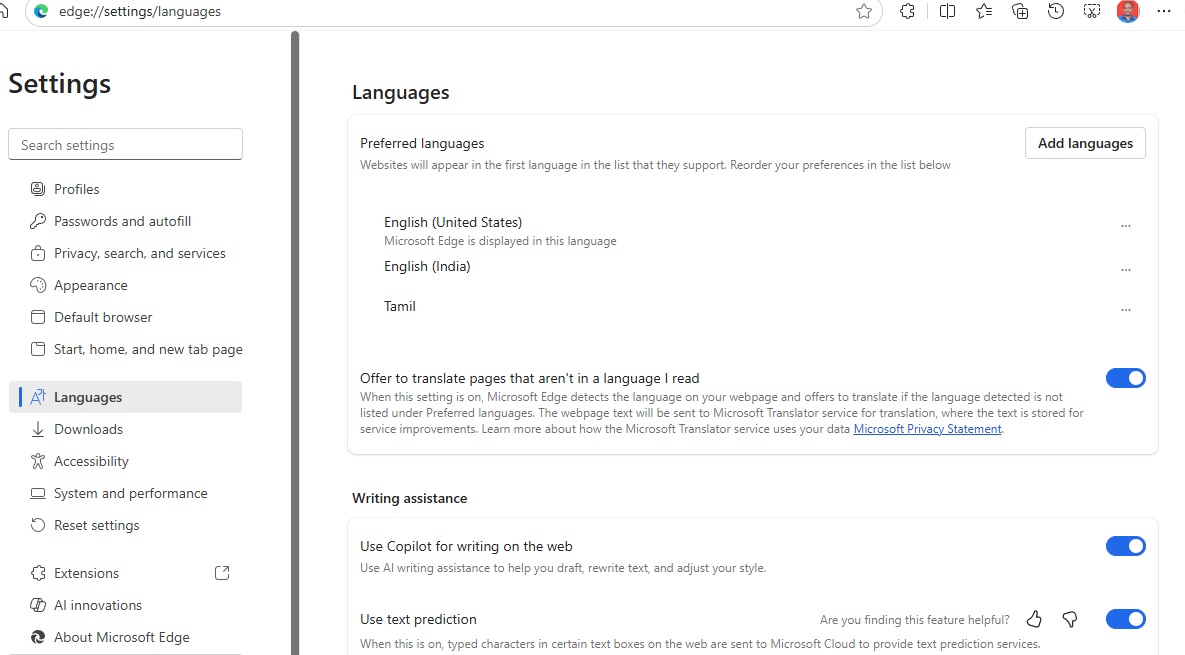 | Icon appears in the address bar ‘when Not in Preferred language’ is detected by EDGE and ‘Offer to translate’ was selected. |
| Microsoft Edge | Mobile | A translation bar appears at the top/bottom. Feature accessible via the toolbar/three-dot menu. |
| Apple Safari | Desktop (macOS) | The Translate button is displayed directly in the Smart Search field (address bar) when a translatable page is detected. |
| Apple Safari | Mobile (iOS/iPadOS) | Accessed by tapping the “aA” icon (View Menu) on the left side of the address bar, then selecting “Translate to [Language]”. |
| Mozilla Firefox | Desktop | Icon usually appears as a panel/toolbar icon or a prompt in the address bar area. |
| Mozilla Firefox | Mobile | Shows a prompt or an icon in the address bar area to initiate the translation. |
| Samsung Internet | Mobile (Android) | Uses a “Browsing assist” or Translate icon in the main toolbar. |

 Welcome to https://ShirdiSaiBaba.InterNational